
September, 2018
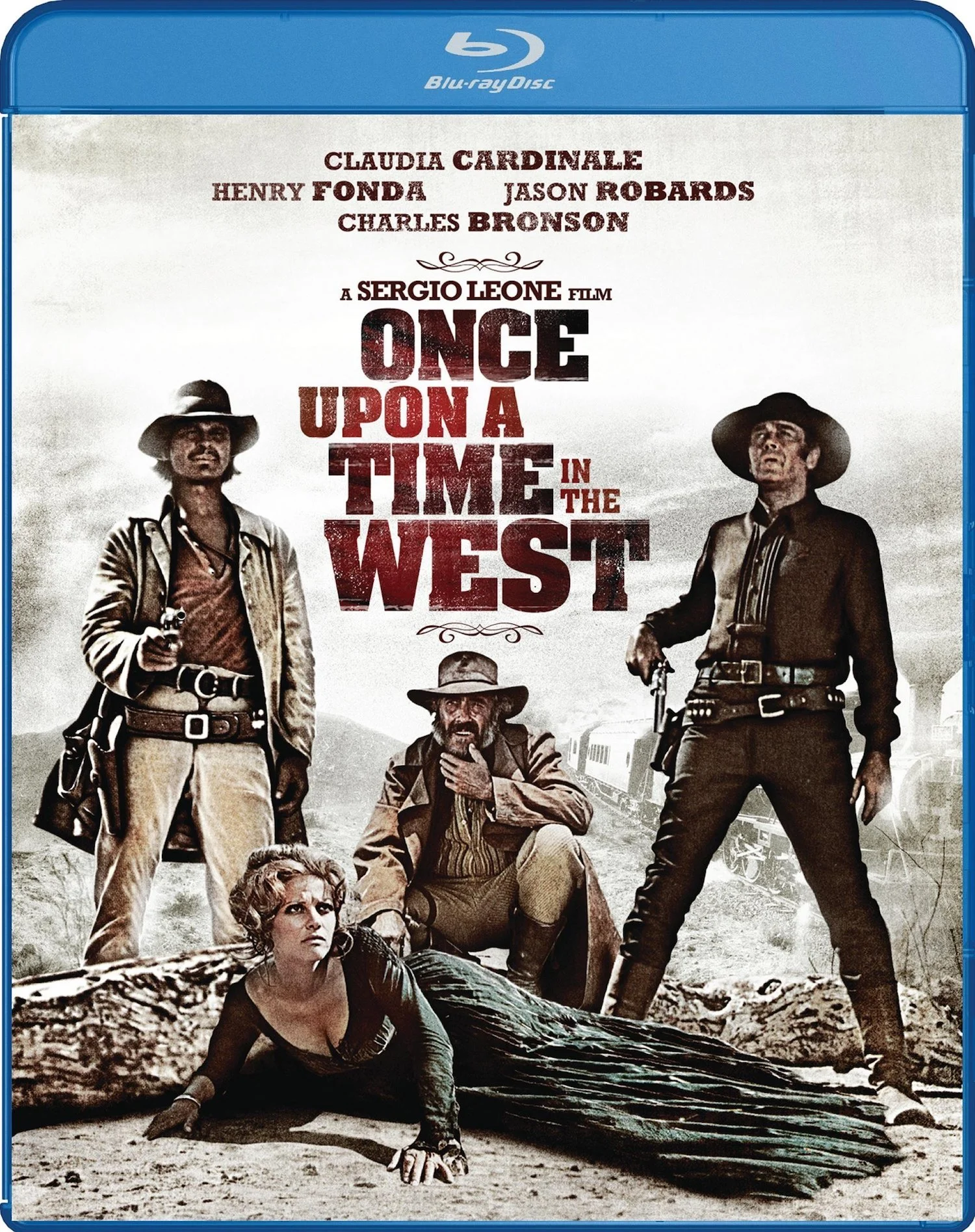
This is yet another film which has benefitted greatly from revisionist reviews. The ORIGINAL reviews, particularly in the US, were dismissive, if not downright scathing. Vincent Canby in the New York Times wrote along the theme, "If you can ignore the fact that this is a really bad movie, you will find it is both interesting to look at and fun." How's THAT for hedging your bets?
Since then, the film has gone on to achieve more than mere cult status, and now is viewed by critics as a seminal film, and possibly one of the BEST Westerns ever made! There's some good analysis of this arc in the Extras and Commentary. The film is now considered "ahead of its time" in that it was one of the first "films about films" -- a film which deliberately quotes elements from other key films of a genre.
The term "Operatic" is also used -- a LOT -- noting the exceedingly slow pacing of critical scenes, as in an opera, where no one can die before everyone sings about it for 15 minutes or so. One commentator goes so far as to suggest, "In this film, stares in close up serve the place of arias!"

In my prior post on Choosing a Crossover Frequency, I discussed the fundamental role played by a Subwoofer in any good, Home Theater system, and the equally important choice of allowing that Subwoofer to handle the lowest bass frequencies which would otherwise be played through the Main speakers. This task of "steering" bass from the various Main speaker channels to the Subwoofer is the job of the Crossover processor -- part of the "Bass Management" system in your Audio Video Receiver (AVR).
The Crossover does not act like a switch, with bass suddenly cut off to each Main speaker and sent instead to the Sub. Rather, the Crossover rolls into effect over a range of frequencies -- typically one Octave (factor of 2 in frequency). So for example, an 80 Hz Crossover -- the most common choice -- actually rolls into effect from 80 Hz down to 40 Hz. At 80 Hz, all the audio in the Main speaker channel is still coming out of the Main speaker. At 40 Hz, all the audio is being sent to the Subwoofer. And IN BETWEEN, the Main speaker and the Subwoofer SHARE the job of producing the audio output!
So in that critical range of in-between frequencies, a given Main speaker and the Sub are playing the SAME audio at the SAME time. But the Main and Sub are not located at the same spots in your room, and the differing designs of the Main and Sub undoubtedly introduce different delays in how the electrical input signal to each turns into motion of their speaker cones -- creating the audio you hear. The upshot is the audio waves arriving from the Main and Sub may very well NOT reach your ears at precisely the same instant of time! The sound which SHOULD have blended perfectly from the two of them will not do so.
Technically, this timing mismatch is called Phase error, and it can be a real problem! If the two wavefronts are a full 180 degrees out of Phase, for example, they'll CANCEL each other out! That is, the result of improper Phase matching is anemic sounding bass.
In this post, we'll talk about how to get your Subwoofer(s) into proper Phase with your Main speakers.
August, 2018

The Sharpness control is one of the Basic Video Level settings found in every TV. It is also, alas, one of the settings most commonly abused by manufacturers trying to make their TVs stand out in a wall of competing TVs under garish store lighting! Indeed, TV Factory Default settings with Sharpness set WAY too high are commonplace -- a key facet of the justly-infamous Torch Mode settings foisted on new TV buyers. See my prior post on Extinguishing Torch Mode Settings for the others.
Excess Sharpness, in particular, produces the appearance of "false detail" in the image, which looks attractive on a casual glance (applause from the Marketing guys!). However, the REAL details of whatever you are watching are ACTUALLY being obscured!
In this post we'll discuss what the Sharpness adjustment does to your image, and how to set this control properly in your TV -- using a Calibration Disc.
We'll also discuss the problem of "Edge Enhancement"; damage akin to excess Sharpness ALREADY baked into the content you are watching!

Many Audio Video Receivers (AVRs), and some Source devices such as movie disc players, will include Digital Audio processing options for Dynamic Range Compression or Loudness Adjustment. Should you use them?
In a word, No! Not if your goal is best quality Audio.

Woo Hoo! They just don't make 'em like THIS any more!
Lottie Blair Parker's hit play from 1898 -- originally known in contracted form as, 'Way Down East -- that is, 'Way for Away -- was a moralizing melodrama, ALREADY considered dated by 1920. Indeed, the term "hoary" would even be appropriate. But D.W. Griffith felt so strongly he could make something of it he went all in, paying an astounding $175K for the rights, and spending $700K, all told, to make the film. Contrast with his, "Birth of a Nation", which had a total cost of $112K.
Well, turns out he was right! The film grossed $4.5M -- a major money maker for Griffith, and the 4th highest grossing film of the entire, silent era!

REFERENCE QUALITY PQ AND AQ!
A while back I saw a documentary which included work by a famous, Japanese, candid shot photographer. His abstract looking prints were so popular, his new style was even acclaimed with a really profound-sounding Japanese name. Profound, that is, until you found out it was simply the Japanese for, "Shaky hand. No Focus."
Well Writer/Director Lars von Trier has certainly made sure his DP adopted the Shaky Hand style. In one of the Extras, he even admits the excessive use of uncontrolled, hand-held camera work OUGHT TO result in quite a few viewers getting seasick!

Brightness, Contrast, Color, Tint, and Sharpness: These five controls establish your "Basic Video Levels", and are fundamental to achieving best Picture Quality in your Home Theater. EVERY modern TV will feature these controls in its user-accessible settings -- although perhaps less prominently than in the past, as a whole bunch of other weird (and usually unexplained) settings like "Flesh Tone Correction", or "MPEG Noise Reduction" will also be clamoring for your attention. "Contrast" might be called "Picture" in your particular TV, and "Color" might be called "Saturation" (Hey, Marketing guys LOVE to invent names!), but they are the same controls.
And as I move along in this Blog, I'll undoubtedly talk about each of them -- umm, at some point! We've already covered Brightness in my post on Blacker Than Black Video, and Contrast in my post on Peak Whites Video. And in my post on Extinguishing Torch Mode Settings I alerted you to the sad fact the Factory Default settings for these basic controls in your brand new TV are, almost certainly, flat out WRONG for best quality viewing! So correcting THESE settings is something you'll want to tackle right up front when dialing-in your Home Theater.
But when you begin that task, you may be stymied by the discovery the SAME (apparently) controls are also offered in some or all of your Source devices -- and possibly even in your Audio Video Receiver (AVR)! So, umm, WHICH set of controls should you use? Or should you COMBINE the controls? For example, doing part of the necessary adjustment in each device?
In my post on Peak Whites Video, I revealed the basic Rule of Thumb for this:
Adjust your Picture using ONLY the “Video Level” Controls Found in your TV!
Let's explore this further.

One of the biggest changes in a long time in Home Theater Video has been the recent introduction of High Dynamic Range (HDR) content, and equipment which can display it properly. HDR allows elements in scenes to be much MUCH brighter than with prior home video technologies (in comparison to other portions of the same image) -- excellent for sparks, glints, flashes, direct views of light sources, and details in bright objects such as clouds in bright sunlight. However, there is plenty of Standard Dynamic Range (SDR) content out there which you will still want to look its best. And the foundation for understanding what HDR brings to the table begins with an understanding of the proper rendering of SDR Video.
In my prior post on Blacker Than Black Video, I introduced the concept of the Headroom and Foot Room portions within the video encoding. The "Peak White" pixels found in SDR Video simply reflect the Headroom authored into that video content. Whereas HDR and SDR Video are quite similar in their treatment of Blacker Than Black pixels, they differ dramatically in how they handle these brightest pixels.
In this post we'll focus on setting up your TV to render Peak Whites properly whenever you are viewing SDR Video content: I.e., what you SHOULD see and what you SHOULDN'T see. So break out the sunscreen and get ready for a few Bright ideas! COOLNESS NOTE: Shades are optional.

This is Luchino Visconti’s study of the end days of aristocracy in Sicily in the 1860's. Sicily, already resigned to being conquered time and again, will now join the united, Italian republic where it will be pretty much ignored.
3 Hours 5 Minutes long.
No time off for good behavior.
July, 2018

Home Theater audio systems are sufficiently complicated it can be quite daunting when something goes wrong. Where do you begin? Has something failed? Did I accidentally screw up a setting. Is it SUPPOSED to sound this way?
In this post we'll discuss some logical steps towards diagnosing audio failures.

When you try to play your latest, smash hit, movie disc, does your player "freeze up" part way through? Does this always seem to happen just as the movie gets to the GOOD part? Does it then ignore all your desperate efforts to get it playing again?
And are your friends and family now judging you; given all the money you've spent on your Home Theater system, only to have THIS happen?
Is that your problem, Bunky?
Well take heart old chum! Your problem may have an easy fix: Clean The Disc!
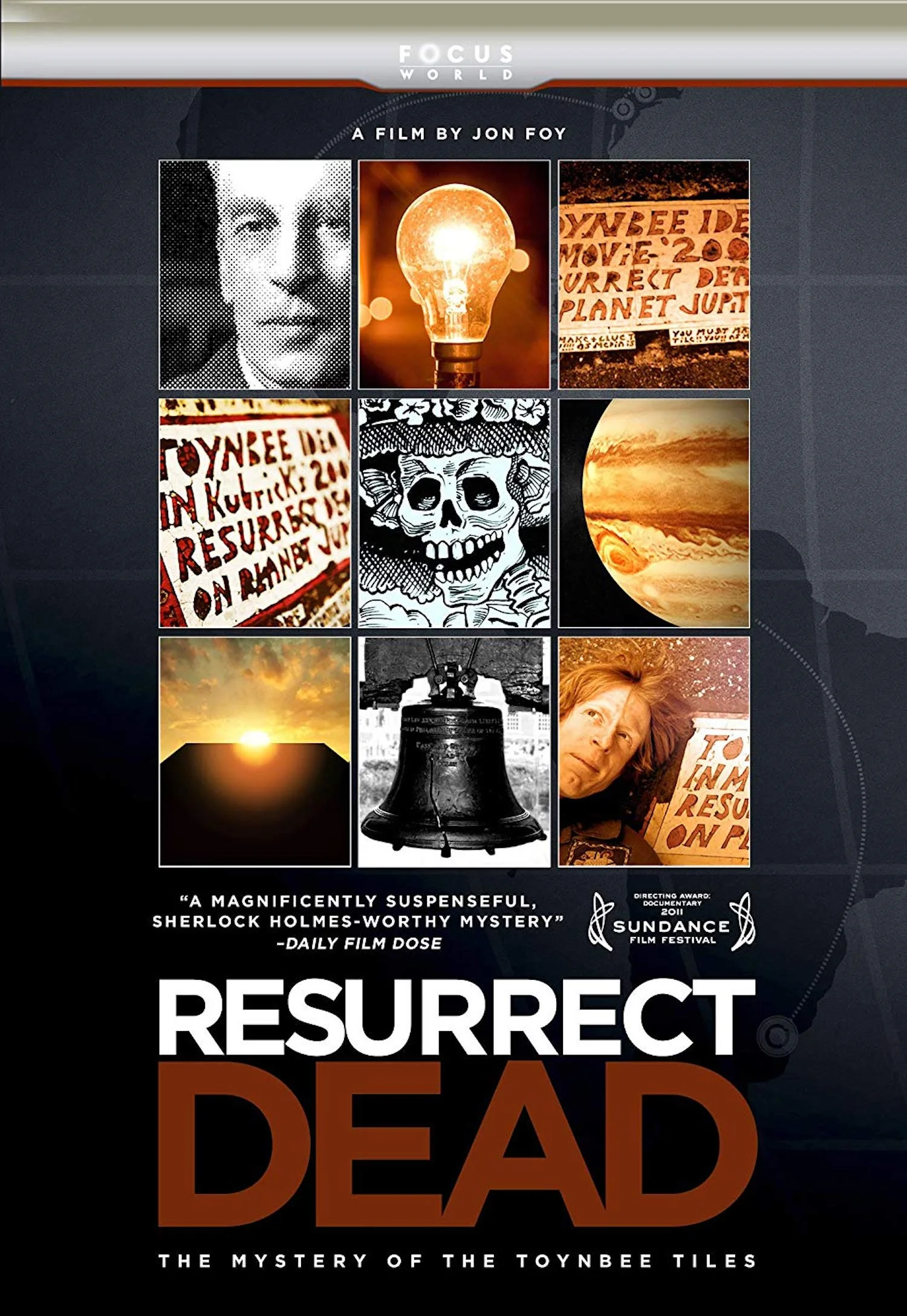
Sometime in the mid-1980s, somebody — or some group of people — started installing placards in streets and highways, in cities all over the Eastern half of the US. These placards varied in size from something shaped like a US car’s license plate up to something like a poster board. Cut in mosaic fashion out of a flexible, colored, linoleum-like, tile material, these "Toynbee Tiles" were found to be EMBEDDED into the asphalt!
And over the several decade history of appearance of all of these hundreds of tiles — both in the US and in South America — nobody has ever spotted who's doing it. Or figured out why. Or, for that matter, HOW!

Folks with other than the simplest HDMI cabling hookups frequently experience connectivity issues directly related to the complexity of their cabling "topology" -- that is, the tangle of different ways their devices are interconnected, often THROUGH each other, via HDMI.
At root, this is due to the fact HDMI is an "end to end" protocol for transmitting your digital content. Whichever Source device you've selected to use at the moment must set up that protocol, all the way through to the device(s) at the other end of the HDMI signal path -- a process called the HDMI handshake. To accomplish this it performs something called Repeater Processing -- the method by which it talks THROUGH intervening devices to communicate with each next device along the signal path it is building. And the end to end handshake, set up by the Source, must ALSO satisfy the demands of HDCP Copy Protection, which, as I've said before, is finicky by design. It LIKES to fail!
In this post we are going to talk about the common things which bollix this up: HDMI Loops, HDMI Dual Paths, and the infamous, HDMI Zombies!
In my prior post on Digital Audio, I introduced two, "simple", Digital Audio formats: LPCM (Linear Pulse Code Modulation) and DSD (Direct Stream Digital). These are "simple" in the sense that each stream of LPCM or DSD contains the audio for just one speaker channel -- as compared to the more complex, Bitstream formats which combine multiple channels into a single stream.
However, there is one huge, practical difference between them. DSD Digital Audio can not be "processed"! If you have DSD content, and want to convert it directly to Analog audio for your speakers, without any other format fiddling in between, you most forego all types of Digital Audio processing. So, no Crossover (bass steering). No Down-mixing. No Surround Sound processing. No Speaker Distance adjustments. No Room Correction. NOTHING, except for Volume control.
If you WANT any such processing, you must first convert the DSD Digital Audio into a different Digital Audio format which CAN be processed. I.e., into LPCM.
Which of course raises the question, "Is that SAFE?" Can you DO that without screwing up the quality of the DSD original? Or must you give up quality to gain access to that processing?
The short answer is, Yes, it is safe, given properly engineered gear. Let's take a deeper look at what's going on!

Image Geometry is the combination of Image Cropping -- whether the image fills your screen from top to bottom and left to right, and with no pixels lost off any side -- and Aspect Ratio -- whether circles in the content actually look like circles on your screen, instead of tall ovals or wide ovals.
If your video setup has a problem with Aspect Ratio, you will likely notice it pretty quickly. Indeed you may even have CHOSEN to use incorrect Aspect Ratio -- typically because you don't want to see Pillar Box Bars or Letter Box Bars padding the image on your screen.
But Image Cropping problems can be subtle. And getting them wrong can have a surprisingly large effect on image quality!

WOW! Come on, me hearties it's time to buckle your swash!
Cast your mind back:
It's 1926, and Douglas Fairbanks, then 42 and owner of his own studio, has decided he wants to get away from the more, light-comedy, action roles he's recently been playing and make a full-on, all-action movie.
About pirates!
AND he wants to do it in full color!

One of the Holy Grails of Home Theater (an avocation clearly overstocked with the darn things) is achieving the proper display of near-Black details in your video. This of course starts with the proper display of Black itself!
It should be EASY, right? As I detailed in my post on Digital Video, every format for Digital Video DEFINES a particular pixel value as representing "Black". All the TV has to do is make that pixel, well, Black! No light output. And uh, brighter pixels should be brighter than that. Of course your particular TV might not be able to turn a pixel TRULY Black. But that's a detail. You get it as black as you can.
Then with a wave of my hand (something oft accompanied in the teaching game with a sotto voce, "Step 2: A Miracle Occurs!") I mentioned there is ALSO a portion of the video data range reserved for describing pixels as, "Blacker Than Black". Um, say WHAT?
Well, Bunky, it's time to get dark. I mean REALLY dark. So slip into your most Goth outfit, put on that sombre music, and lower the lights. For we are about to encounter Blacker Than Black pixels, and learn what to do with them. And what NOT to do with them!

"Chico & Rita", made in Spain, and with mostly Spanish dialog, achieved the nearly unimaginable by garnering a Nomination for Best Animated Feature at the 2012 Oscars. Unfortunately, it had the bad luck to be up against "Rango"!
Viewing the film, there's no doubt whatsoever it deserved this Nomination. There's enough artistic brilliance in this feature to make, oh, 3 or 4 first rate movies. And the transfer on this Blu-ray disc is staggeringly wonderful!
June, 2018

This is the first of my Face Palm posts. In these I'll discuss claims -- almost always Marketing claims -- so divorced from reality the only adequate response is a Face Palm.
Years ago a fun, parody publication, "The Journal of Irreproducible Results", featured a learned article on the recent invention of the Darkbulb. The Darkbulb, in one practical implementation, looks exactly like a normal Lightbulb. Except, when you screw it into the socket and turn it on, it ABSORBS light instead of emitting it. With enough Darkbulbs, of sufficient wattage, you could plunge any size room into inky blackness!
I often think of the Darkbulb when I run into Marketing verbiage to the effect, "Our HDMI Cables Produce Blacker Blacks!"

One of the key upgrades with the coming of Surround Sound audio systems was the addition of the Center speaker; providing anchored sound centered right at the screen. For example, for dialog.
But it turns out Home Theater, Center speakers end up getting fried out of proportion to all the other speakers! The culprit is excess bass. In this post I'll explain why that happens, and what to do to protect against it.

In 2008, Nina Paley completed a 5 year project to create an animated presentation of the “Ramayana” -- the Sanskrit epic which forms such an important part of the cultural heritage of East Asia -- from Hindu traditions in India, through to Buddhist traditions in, for example, Thailand and throughout Indonesia.
And the RESULT is absolutely, staggeringly, mind-blowingly wonderful!
And yet . . . . it ALMOST never even made it out the door!

This is the first of my Quick Tip posts. These will include tips, tricks, or suggestions which don't need a lot of background discussion, or detailed explanation.
Pretty much regardless of the type of speakers you get, the output of your speakers will become more and more "directional" as you go up in frequency. This makes speaker pointing a consideration in your audio setup.

If you are serious about audio and video, know this: The BETTER the quality of your audio and video setup the LESS forgiving it will be of crappy content! ALL of the defects in your poorer quality content WILL now be seen and heard.
Upgrade your audio system? You may find some of your favorite music tracks are no longer listenable. Upgrade your video system? You may find some of your favorite movie discs are no longer watchable. And no amount of "enhancement" features in your electronics can "fix" such problems. The creation of poor quality content results in a loss of information; a PERMANENT loss of information. The most you can do for it now is "blur" the defects so they become less annoying -- at the risk of also blurring whatever's left that's GOOD in the content.
Things that strike you as odd or wrong in a piece may, of course, just be due to mistakes in the performance, or how it was captured, or in the authoring of the version you are playing. Such mistakes do happen. This is one of the reasons you want to confirm your setup using content of known correctness. E.g., Calibration Discs.
You will also, from time to time, discover cases where the "Artistic Intent" of the material is simply not to your taste. Just as with the story itself, and the acting, you may not like how the art and sound design of a piece are used to tell that story.
But that's not our topic for today. Today's post is about trained professionals, intentionally doing stupid things because they thought they were a good idea! This is Art from the School of Shoddy. Let's check out the Curriculum, shall we?

"Ars Gratia Artis" -- Art For Art's Sake -- is all well and good, but one should never forget moviemaking is, at its heart, still a business. And nothing is quite so good for business as an unassailable monopoly!
Over the decades, many different approaches to this have been tried: Studios buying up ALL the movie theaters for example, and the whole "studio system" of locking talent into contracts.
In the late 1920s, William Fox, owner of Fox Film Corporation, came up with his own, cunning scheme to take over the ENTIRE film industry.
The result would set widescreen filmmaking back some 20 years!

It used to be so SIMPLE, back in 1898, when Francis Barraud painted his brother's dog, Nipper, staring intently into the brass horn of a wind up phonograph and hearing, His Master's Voice!
One audio channel. One speaker. One dog. And one enduring trademark!
One has to wonder how Nipper might react to today's Dolby Atmos installations for Home Theater (or any of its competitors); a technology designed to support up to 24 speakers at ear level, a special bass audio channel, and 10 ADDITIONAL "height" speakers overhead! Would Nipper still stare in wonder? Or would he dive under the sofa?
The answer to that question likely revolves around how INTELLIGENTLY those speakers were used! In particular, what if the content you are playing has a different number of audio channels from the number the speakers you have installed? This is the realm of audio Downmix and Surround Sound Processing, and that's our topic for today.

It's still early days in my Blog, but here I am already, typing up my THIRD post on that wondrous in its Byzantine splendor, steam and string powered world of HDMI cabling.
Truly, if you are looking for things to confound Home Theater owners, and exasperate even skilled installers, HDMI is the gift that keeps on giving! And I say that as someone whose history with digital video long predates even HDMI version 1.0!
Not the least of the problems is recognizing whether something going wrong in your setup might even BE an HDMI failure. And in light of that, I present this humble Field Guide to HDMI Failures.


Wow! THIS is why we watch restored classic films!
Douglas Fairbanks' fantasy epic is presented here in a new digital restoration; the first output from the Cohen Media Group's acquisition of the famed Rohauer Film Collection in 2011. This is a new, 2K scan made from two, separate, acetate dup negatives, struck from original nitrate prints in the 50s. The scan has been treated to extensive digital restoration, and digital tinting matching the original print instructions. And the results are flat out terrific!

Most Home Theater setups these days will include one or more methods for playing "Streamed" content. For example, playing movies from Netflix, or music from Spotify. Or even for playing your own media files -- streamed over your house network from a Network Accessible Storage (NAS) device or home computer. The convenience of such streaming services can quickly turn into exasperation, however, if you discover your network speeds are not up to the task! Playback may revert to lower quality, or may stall altogether as your system repeatedly tries to "re-buffer" enough content to continue going.
In this post we'll discuss practical troubleshooting steps when somebody shuts off the tap, and your streaming turns into a trickle!

How much is a word worth? In the case of "It", the answer is $50,000, and that in 1920s dollars! That's how much Paramount Studios paid to "Madame" Elinor Glyn, to use her clever idea of giving polite society a way to talk about sex appeal: By assigning it an innocuous name!
Glyn, described in the Film Historian's Commentary track as, "A hack writer for Cosmopolitan Magazine", also got a cameo appearance out of the deal; portraying herself in the film. Cosmo also got some "product placement" in the film -- before that concept had even been invented!

Movies and Television work because the brain WANTS to see continuous motion. If you look at a sequence of still photographs, each changing just a bit from the photos before and after, and all flashed fast enough in front of your eye, your brain will blend them together into moving imagery -- an effect called Persistence of Vision. You will no longer see the separate photographs. You will see "A Movie"! This trick, which goes back to the invention of moviemaking, works only if the images really are flashed past the eye fast enough. The question, then, from the very beginning was, "How Fast is Fast Enough?"

In the early 20s, Carl Laemmle, Senior's, Universal Pictures was a DISTINCTLY 2nd tier studio. "The Hunchback of Notre Dame" would change all that, but not without a struggle!
It was Lon Chaney, himself, who pushed for the picture to be made; only to run into road blocks and indifference. The general consensus was, Hollywood Studios of the time were incapable of producing such a massively staged, period piece.

Much of the visceral excitement of Home Theater -- whether for movies or music -- comes from the proper rendering of Bass frequencies. Unfortunately, setting things up to ACHIEVE awesome Bass is complicated -- almost to the point of being a Black Art!
But take heart. As with many such complicated things, there's always a place to begin! And with Bass audio, that means understanding why you need to include a Subwoofer in your speaker configuration, and learning how to select a Crossover Frequency to drive it.

Here's a film so hilariously bad, it's a wonder it has not made it to shiny disc before! Seriously, it must be RIGHT up there on ANYONE's list of the Worst Films Ever Made. Olive Films saw their chance, and released it on both SD-DVD and Blu-ray.
This cheesy, British, sci-fi outing was Written, Produced, and Directed by American Cy Roth, has American Anthony Dexter as its star, and goes to great pains to try to feature American accents throughout in the dialog. Indeed, it's very much as if the Brits were ALREADY trying to distance themselves from it!

Movie discs, be they SD-DVD, Blu-ray, or UHD, have many advantages: Superior picture quality and access to the best audio tracks, for example. They are also permanent: Not subject to the temporary nature of Studio content licensing contracts, which can leave you in the lurch when the “streaming” content you thought you had "purchased" suddenly stops being available!
But that doesn't mean discs are entirely free of annoyances! And right at the top of most anybody's list of complaints would be that most movie and TV show discs try to FORCE you to watch commercials before you get to see your show!
In this post we will discuss the mysterious and frustrating world of Prohibited User Operations (PUOs, or sometimes, confusingly, UOPs).
May, 2018

In the midst of the Great Depression, the hugely successful team of George and Ira Gershwin set out to do something absolutely new: New both for them AND for music. They contracted with the Theater Guild to create the first, "folk opera"; to be based on the 1925 novel and 1927 stage play, "Porgy", by DuBose Heyward. George Gershwin composed the music. The Libretto was produced by Heyward. And the Lyrics by Heyward and Ira Gershwin.
It would take 50 years for it to come to be!

One of the biggest, conceptual changes introduced with Blu-ray discs (and continued with UHD Blu-ray discs) was the idea the Studio could include computer program code -- software -- ON the disc, which would load and run whenever you played that disc, and which would CONTROL that playback. No longer would disc playback be strictly limited to the "user interface" features implemented by each, different, Blu-ray player! So long as the player could run the on-disc software, the DISC could invent its OWN user interface! There was nothing like this for prior, SD-DVD discs.
This on-disc software would be written in a variant of the Java programming language to be called "BD-J" (Blu-ray Disc Java). The expectations for how Studios would use BD Java were truly grand -- to begin with. All sorts of fancy features were proposed to "enhance" the customer value of these discs. The actual result has been rather a mixed bag. In particular, some Studios seem to be most keen on how BD Java can be used to make a disc really difficult to copy -- something which has NOTHING to do with the customer’s experience.
In this post I'll talk about BD Java, and how it relates to the perennial complaint: My disc player won't let me do Resume Play on my movie!

George Axelrod's 1952 play was a major, Broadway success, and pretty much all of Hollywood was eager to cash in on it. So much interest was expressed, the Hays Office took the unusual step of announcing, even BEFORE anyone secured the rights, that THIS material could NEVER ever be made into a film!
The problem was, the play is about a middle-aged everyman who has an adulterous fling while his wife and child are away on summer vacation, and then feels very very guilty about it in very very humorous ways. But one of the fundamental provisions of the Production Code was that adultery could NEVER be treated as a subject for comedy or laughs!

Most Home Theater setups these days will include some variant on Surround Sound speakers. Indeed, a major factor in the enjoyment of modern movies at home is the ability to hear an "aggressive" Surround Sound mix as it was INTENDED to be heard: With key sounds originating from specific points all around you, and with blended sounds, such as the musical score, filling the entire sound field.
In this post I'll discuss the two most common ways people screw this up, and how to avoid doing that!

YOU GO JIRA!! YOU GO JIRA!!
Yes, it's 2014 and Godzilla is Living Life Large! He is definitely the king of the plus-sized monsters. Isn't it fascinating how fat monsters can still be so nimble on their feet?

In my previous post on Ground Loops and Power Line Interference Hum, I mentioned another common complaint in Home Theater setups: "Hiss" from your speakers. Hiss comes from Radio Frequency Interference (RFI) -- i.e., higher frequency signals emitted by something in or near your Home Theater setup. If these emissions get past the shielding of your electronics they can result in audible Hiss from your speakers, even when you are not playing anything!
If you'd like more info on what's going on, and suggestions for how to deal with it, this post is for you!

What is widely considered the first ever "screwball comedy" -- and still one of the best -- was made by Frank Capra for Harry Cohn's "Poverty Row" studio, Columbia Pictures.
MGM had loaned Clark Gable for the film -- pocketing a neat $500/week profit over his contract salary of $2,000/week. When several actresses turned down the female lead (partly due to the script at the time making the character less sympathetic), Cohn suggested Claudette Colbert. Colbert had made a previous film with Capra which turned out poorly. And besides she had a long planned vacation scheduled to start -- just weeks away. So she told Cohn and Capra she'd only take the part if they paid DOUBLE her normal salary *AND* could complete her shooting in just 4 weeks . NOT a 4 week shoot beginning some time in the future, but 4 weeks from THAT VERY DAY! Keep in mind this was at a point when costumes and sets had yet to be created!

There have ALWAYS been "independent" films of course. But with the gradual breakdown of the Hollywood Studio System in the 50s and early 60s, independent filmmaking really came into its own. Shooting for just 14 days, and with only $400K to spend, Director Ralph Nelson ended up Producing THIS flick all on his own, when no major studio wanted to take on the project!
The result (Distributed by United Artists) garnered an Oscar Nomination for Best Picture (losing out to "Tom Jones"). It also got Oscar Nominations for Best Supporting Actress (Lilia Skala), Best Adapted Screenplay, and Best Black & White Cinematography. But of course what everyone remembers is that this is the film that got Sidney Poitier his only acting Oscar.

OK, so you just forked over the cash for a brand new TV. You wrangled it out of the box, got it positioned in place, cabled up, plugged in, and Voila!, you've even got a picture! Pretty cool, eh? Time to kick back, relax, and enjoy?
Not so fast, Bunky!
One of the dirty little secrets of the Consumer Electronics biz is that the "out of box", Factory Default Settings on just about every TV ever sold are flat out WRONG for best quality viewing! There's no real mystery behind this. The default settings are deliberately chosen to make the TV stand out -- to catch your eye -- from a distance, when buried amidst a whole wall of competing TVs, under garish, store lighting conditions. THESE, my friend, are the so-called (and rightfully infamous) "Torch Mode" settings. And if you are reading this, know that your FIRST task, should you choose to accept it, is to douse all of them!

Does the world seem rather "off" to you today? Does everything look like you are seeing it through rose colored glasses? Or perhaps through a refreshing glass of limeade? And you don't even LIKE limeade? Is that what's bothering you, Bunky?
Well congratulations! You've stumbled into the exciting, new, high tech world of HDMI Handshake Failures! For a handle on what's really going on -- and what to DO about it -- read on!

Sometimes it's truly weird how Hollywood cranks out a hit. Howard Hawks' film adaptation of the notoriously convoluted and confusing Raymond Chandler novel was actually completed, and in the can in 1945. But then Warner suddenly realized, with the war coming to an end, they had to rush all their WAR themed movies out the door RIGHT NOW while there was still a market for them! So "The Big Sleep" was put on the shelf.
And THAT gave Lauren Bacall's agent a chance to lobby with Jack Warner. To wit: The film should be reshot and reedited to give Bacall more screen time with Bogart, along with new dialog geared at reprising their fiery chemistry from, "To Have and Have Not" (1944). The result is truly amazing of course; even iconic. It probably helped that the Bacall/Bogart affair going on during the 1945 shoot had turned into the Bacall/Bogart marriage by 1946!

Writer/Director Christopher Nolan has called his blockbuster an "experimental" film; and that is both its genius and its problem. This shortish film (only 106 minutes) *IS* an experiential masterpiece. But that is accomplished at the expense of traditional story-telling and character development. It will not appeal to everyone, particularly if you come to it thinking you are about to see a typical, Hollywood-mytholgized, period history film. Ya know, with big name stars the audience can root for!

Most Home Theater users have experienced a "Ground Loop" at some point, even if they have no idea that's what it's called. A Ground Loop is garbage voltage which travels between the devices in your system -- over the cable shields of the cables connecting them -- looking for a path back to Ground so that current can flow. In the process, it can cause havoc with various different parts of your system. The most common symptom is an annoying "Hum" from your Subwoofer.
Getting rid of a Ground Loop can be a trying experience -- made more so if you are operating in the dark about what's going on. So in this post, we'll talk about Ground Loops: What they are, where they come from, and how to squelch them.

Most always when you go to connect two pieces of electronics together for Analog Audio you will find yourself using RCA cables. These are the ubiquitous cables with a round plug, about the size of a pencil eraser, consisting of a metal ring around a single pin. That pin fits into the single hole of a matching, RCA socket, and the metal ring of the plug slides over the barrel of that socket to complete the connection. For a Stereo connection, you would use two such RCA cables.
But PROFESSIONAL Audio gear frequently uses much cooler-looking cables, with a bigger plug (still round) containing THREE pins. These are XLR Analog Audio cables -- also called Balanced cables. Again, for a Stereo connection, you would use two of them.
Higher end Home Theater gear will frequently offer the option of using either RCA or XLR cables for your Analog Audio connections. The XLR choice is undeniably the Cooler choice! But if you've ever wondered whether there's any OTHER reason to use XLR cabling, this post is for you!

In September, 2010, the Metropolitan Opera in New York premiered their new production of Wagner's four-opera epic, "Der Ring Des Nibelungen" -- composed over 26 years, between 1848 and 1874, and first performed as a complete "cycle" in 1876.
Five years in the making itself, this new, Met production featured the conceit of a single set for all four operas -- a set designed to reconfigure itself mechanically in real time, and enhanced with digitally produced projections which actually responded to the motions and voices of the singers! The first two operas ("Das Rheingold" and "Die Walküre") premiered in their 2010-2011 season. The last two operas ("Siegfried" and "Götterdämmerung") premiered in their 2011-2012 season. And the complete cycle of all 4 was presented in their 2012-2013 season.
The Met also does HD simulcasts of many of its live performances to movie theaters all across the country. This disc records the HD simulcast of their October 8, 2011, performance.
And it's a real treat!

Certain flaws in your Home Theater viewing are bound to take you out of the moment -- flaws just too annoying to ignore. And Audio out of sync with Video is certainly one of them!
We've all seen examples of poorly "dubbed" movies, where the lip-sync error is so humongous it's comical. But errors even more subtle will still leave you with the irritating feeling that something is just, OFF. And once that sync error is corrected, there's that Ahhh! moment as you settle in and realize this is finally RIGHT!
In this post we will talk about Lip Sync errors -- where they come from, and what you can do about them.

All of the Digital Video you watch in your Home Theater is "compressed". ALL of it! Whether it comes off an optical disc, or read from a media file you play, or as a program you stream from an Internet service, or even as a program you watch from a local, on-air, Digital TV station. Compression reduces both the amount of space necessary to store the video, and -- often more important -- the data rate needed to transmit that video or to read it off of storage.
But too MUCH compression will damage picture quality in ways difficult to ignore! In this post I'll cover the basics of video compression, along with a case study of video compression as applied to SD-DVD movie discs -- where the sins of poorly implemented compression are rife! I'll end with some recommendations on what to look for when picking up an SD-DVD title to maximize your odds of getting great picture quality.

One of the enduring mysteries of Home Theater is how to connect your gear together so that the audio and video you WANT to pass between devices will actually get there! It sometimes seems like every path is strewn with potholes.
Restrictions can be technical, historical, and even legal (content licensing prohibitions). In this post, I'll attempt to demystify the most common restrictions.

By 1934, Jack Warner was badly in need of some class.
Oh, his distinctly blue-collar studio was cranking out detective films and other such low-brow stuff, but what he REALLY needed was a Prestige project which would show Warner Bros. could hold its head up with the big boys!
What followed is the stuff of Hollywood legend -- one which should probably bear the title, "The Comedy of Errors"!

Few things cause as much confusion among Home Theater enthusiasts as the myriad details surrounding Digital Video formats. It is typical to run into settings choices, for example, which come with no useful explanation, nor even advice as to when or why you might prefer one over another. It is also typical to run into non-intuitive limitations: You can't do THIS because you are also trying to do THAT!
In this post, I will attempt to survey the entire topic of Digital Video formats as applied to Home Theater systems. There's way too much material here to cover everything in one post, but I will try to show you how the pieces fit together, and introduce the jargon you will see repeatedly in future posts as I get into more details.
So if you've ever wondered just what, "HDMI 4K/24 YCbCr 4:2:2 12-bit HDR10 BT.2020 with HDCP 2.2" actually MEANS (and why the heck you'd need to KNOW that), this post is for you!

One of the basic steps in setting up any Home Theater system is making sure all of your speakers, and your subwoofer(s), are matched in output volume. Although you could try doing this by ear, this is really something best done with the aid of an inexpensive measuring device called a Sound Pressure Level (SPL) Meter.
This post discusses how to use your SPL Meter correctly.
April, 2018

The world we live in is inherently Analog. All the things we see and hear, for example, are the result of physical events which are fundamentally continuous in nature. Some portions of your Home Theater are also Analog. For example, your speakers are Analog devices, as are the audio power amps that drive them. And the electrical signals carried on the cabling between those amps and speakers are also Analog.
But modern PROCESSING of both audio and video is done Digitally. And the newest forms of storage and transmission of audio and video are also Digital. In this post we will explore the basics of Digital Audio, with particular emphasis on the LPCM and Bitstream audio formats.

EVERYONE interested in Home Theater should have a few Calibration Discs in their collection. This is true even if you intend to hire a professional to come in and set up your system for you. Professionals will bring tools and computer programs which are both expensive to buy and daunting to learn. But even though you can't fully match their professional results, you should STILL have calibration discs handy to confirm there are no silly setup errors in your system, and to check whether any problems you spot while playing real content are due to oddities in that content, as opposed to something you've overlooked in your system setup. Calibration Discs provide you with content of known "correctness" which you can use for this.
There are LOTS of different calibration discs out there at this point, and more likely to come out over the next year or so as UHD (4K) video becomes more mainstream. Some of them are pretty specialized. Some require you also have those professional tools mentioned above. Some are hard to find, or even out of print. The most sensitive test I know of to confirm that Speaker Distance Correction is happening properly, is found in the Avia Pro SD-DVD multi-disc set, which is long out of print. And even in that case, this particular test was included in an add-on disc to that set, which only appeared several years after the set first shipped! Try getting your hands on THAT one!
In this post I'm going to discuss two, generally useful Calibration Blu-ray Discs. And also, one specialized disc -- in this case an SACD disc -- to give you a flavor of what's out there if you go looking for such specialized, test content.

For his 21st birthday in 1929, Carl Laemmle, Jr., received an unusual birthday gift. His Dad gave him Universal Studios.
The guy everyone THOUGHT was the heir apparent to Carl Laemmle, Sr., got relegated to doing B-grade pictures, as Junior jumped in with both feet and took complete control. And he knew precisely what he wanted to make; a short list which included "Dracula". Junior really got a kick out of horror tales.

People are often surprised when I tell them Standard Definition (SD) Video can look gorgeous in their Home Theater. The sad truth, alas, is that MOST people have never ever seen SD Video "done right"! The problem is, at these resolutions (and data rates), there is NO margin for error. ANY mistake in the content creation or video processing -- any corner cut in the setup at any stage -- WILL produce image defects that viewers can not ignore. And such defects, once introduced, can NOT be corrected by any sort of subsequent image enhancement processing. The critical information has been permanently lost. At best you can blur such defects to make them less annoying.
This post discusses the technical details of image "Aspect Ratio", as found on traditional, SD-DVD movie discs, with tips for avoiding some common mistakes which will reduce your SD viewing quality.

There is no single, more important, piece of advice I can give you than this: As of this date -- April, 2018 -- you should be using *ONLY* HDMI Ultra HD Premium Certified cables for *ALL* of your HDMI connections.


With the passing of Aretha Franklin this month, and of Rick Hall back in January, I thought it high time to revisit my thoughts on this terrific documentary from 2013!
Greg ‘Freddie’ Camalier's Directorial debut is a documentary featuring extensive interviews from the likes of Aretha Franklin, Mick Jagger, Keith Richards, Bono, Wilson Pickett, Etta James, Steve Winwood, Gregg Allman, Percy Sledge, Alicia Keys, Clarence Carter, and Donna Godchaux. Not to mention archival material from Duane Allman, Otis Redding, the Lynyrd Skynyrd band, and Freeman Brown.
And yet these are not the stars!
The STARS are the backing musicians and recording engineers who created musical magic in the sleepy, backwater village of Muscle Shoals, Alabama -- population 8,000 and surrounded by dirt roads -- starting in the late 50s. As Atlantic Records music mogul Jerry Wexler says at one point, who would ever believe the best from, say, Aretha Franklin -- the unchallenged Queen of Soul -- was music made by a bunch of young, white guys who all looked like they worked at the corner grocery store?